

Underfloor Heating is widely regarded as one of the most comfortable ways to heat a home. It delivers warmth evenly across the floor surface, gently radiating heat upward and warming people and objects directly, rather than just the air.
It’s also completely invisible, highly efficient, and removes the need for bulky heaters or vents.
But where it becomes even more interesting is in how you control it.
How Underfloor Heating Is Typically Controlled
Most Underfloor Heating systems are controlled by a thermostat.
A standard thermostat allows you to:
- Set your desired room or floor temperature
- Program a schedule, deciding when the heating turns on and off
- Maintain a consistent level of comfort throughout the day
Many modern thermostats also include Wi-Fi connectivity, which means you can:
- Adjust temperatures from your phone
- Change schedules remotely
For most homes, this setup already provides excellent control and efficiency.
Where Home Automation Comes In
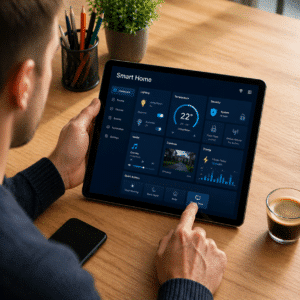
Home automation systems take things a step further by bringing multiple systems in your home into one central platform.
These systems typically control lighting, climate, appliances and security etc.
All managed through a single app, tablet, or smart interface, often with automations based on your daily routine. For example, lights turn on at sunset, heating activates in the morning, or blinds open at a set time.
Some common Home Automation systems include Control4, KNX, C-Bus, Google Home.
Naturally, homeowners often want their Underfloor Heating included with their Home Automation.
The Key Challenge
Underfloor Heating systems are designed to be controlled by a thermostat. That thermostat regulates the temperature and when the heating is on or off.
Most Thermostats aren’t compatible with talking directly to the Home Automation system; they aren’t compatible with providing full control over the schedule and the temperature control.
There is a workaround solution though, that still provides pretty good control.
A Simple and Effective Integration Method
One of the most practical ways to integrate Underfloor Heating into a home automation system is by controlling the power supply to the Thermostat and using a manual Thermostat.
Here’s how it works:
- Set your comfort temperature on the thermostat
This could be a manual dial or a glass touchscreen thermostat. - Use the home automation system to control power to the thermostat
When power is supplied, the thermostat activates. - The thermostat takes over temperature control
It heats the floor and maintains the set temperature automatically. - When power is turned off, the system stops heating
The floor gradually cools down.

What This Means in Practice
This approach gives you:
- Control over when the heating is on or off via your automation system
- Reliable temperature regulation handled by the thermostat
- The ability to link heating to schedules, occupancy, or routines on the home automation system
For example:
- Heating turns on before you wake up
- Turns off when you leave the house
- Activates based on a ‘home’ or ‘away’ mode
Important Trade-Off to Understand
When using this method, your home automation system is not directly adjusting the temperature.
Instead, it controls:
- Timing (on/off)
While the thermostat handles:
- Temperature regulation
In most real-world scenarios, this works extremely well, because Underfloor Heating is designed to maintain steady comfort rather than rapid temperature changes.

Final Thoughts
Underfloor Heating doesn’t need complex control to perform well. In fact, it works best with consistent, planned operation.
Set the right temperature, align it with your daily routine, and let the system do its job.
If you already have home automation, integrating your heating into that system can add convenience and lifestyle control, without overcomplicating how the heating itself operates. Achieving this with a manual Thermostat proves to be very effective.
To view Thermogroup’s full range of Thermostat controls, click here